
Build the report you actually want
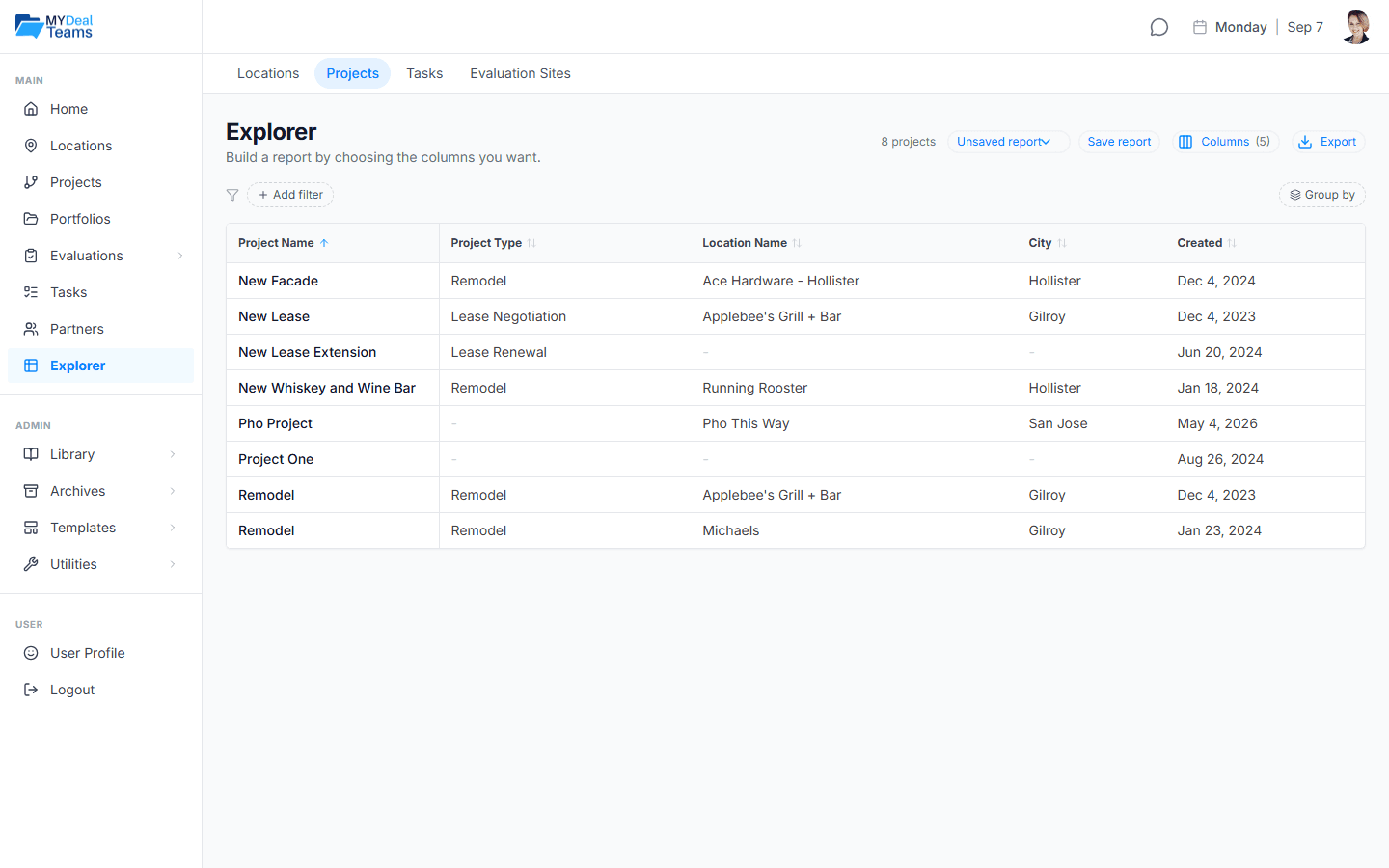
Explorer is a column-based report builder. You choose whether a row is a Location, a Project, a Task, or an Evaluation Site, then assemble exactly the columns you want: address, size, open date, project counts, open and overdue task counts, financial figures where you have access. Filter it, group it, sort it, and save the result as a named report you can reopen any time.
"Every asset in Texas over 40,000 square feet, with its open task count and its open date" is a report you build in about a minute, not a spreadsheet you rebuild every month. Every row type ships with a few starter reports, so the screen is never empty.
It never goes stale
Here is the difference that matters. A saved report re-runs against live data every time you open it. The spreadsheet you emailed last quarter stopped updating the day you sent it; a saved Explorer report never does. The layout is the thing you keep, and the numbers are always current.
That is the same idea that runs through the whole product. The report is not a copy of the truth that immediately starts to drift. It is a live view of the one record everyone is working from.
Share the layout, not the data
When you share a report, you are sharing the layout, not your rows. Send a partner a report and they see it filled with their own data. They see only what they could already see, sometimes a different set from yours, sometimes nothing at all. Nobody gets a static export they can pass around after you have moved on.
When it is time to leave the app, export in the shape you need. Excel arrives with real numbers and dates, so totals and date sorting work without retyping. CSV covers everything else. And the PDF, the one you take into the room, prints the filters that produced it, which is what makes it defensible when someone asks how you got the list.
The honest version
Explorer is deliberately focused. One report is one row type: a Project report can carry its location's name and city as columns, but it will not join two row types into one grid. Financial columns come back only where you hold the access for them, and a cell with no income statement on record comes back blank rather than zero, because zero would be a claim the data does not support.
What it removes is the export-and-rebuild habit that quietly eats an afternoon a month. Build the report once, in MDT, and open it again whenever the question comes back.
MyDealTeams is free during Early Access: Community free, Pro $69/month, everything free while we are in Early Access. Nothing to lose, and a deal team to organize.